
Gift options on every page that sells
Shoppers look for gift wrap and a message when they buy online. Offer both on the product page, in the cart drawer, and on the cart page.
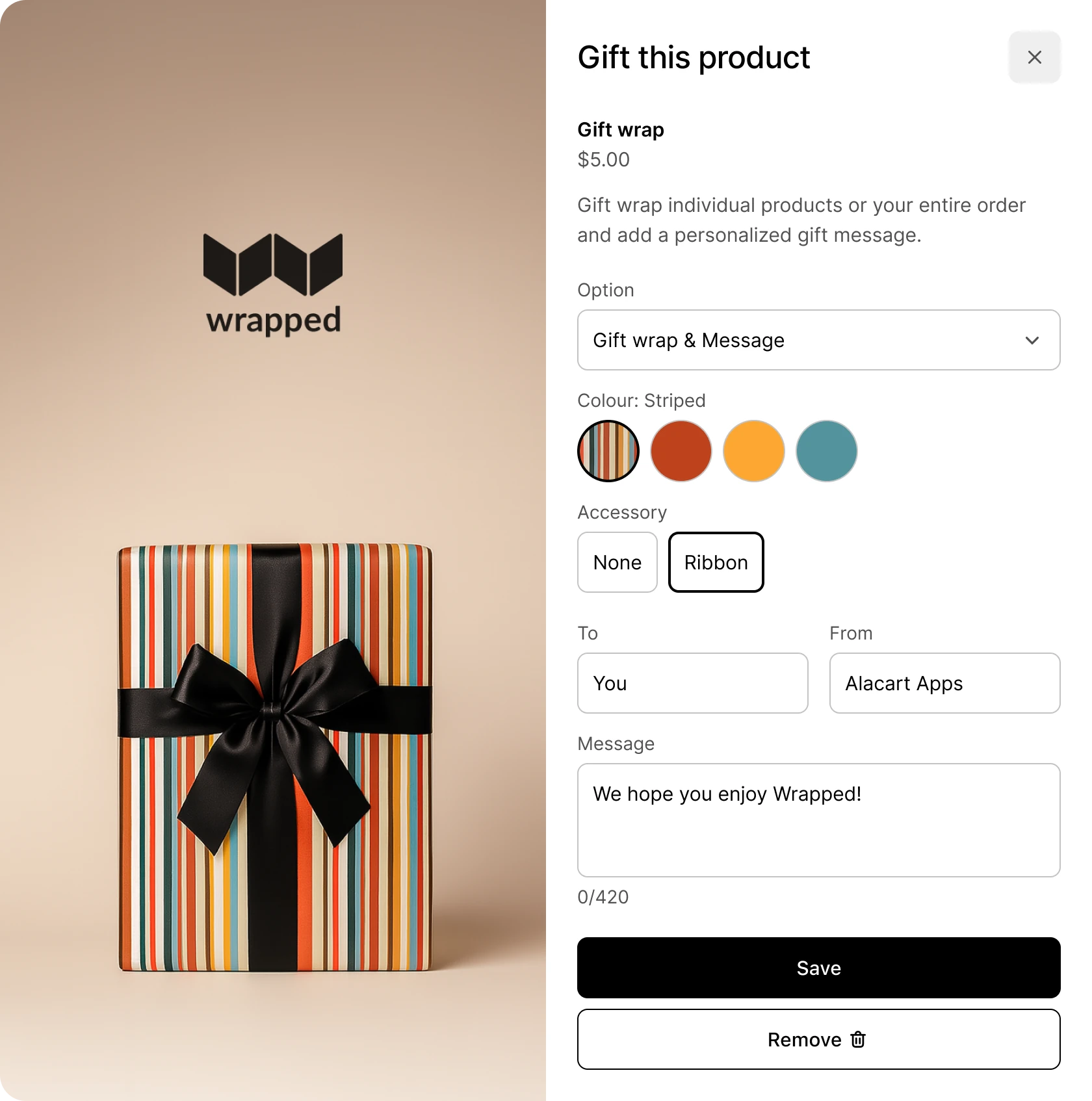





























From the product page to the gift order
The Shopify order shows the wrap, the note, and who it is for, ready to pack. Customers make it a gift on the product page, in the cart drawer, or on the cart page.
Gift one item or the whole order
You set the price. Charge once for the cart, price by the box, or make gifting free over a cart total.
- Gifting for Products. Customers add a gift option to each item, each with its own wrap and price.
- Gifting for Orders. Customers wrap the whole order as one gift, with one note and one fee.
- Set your own pricing rules. Price gifting the way your store packs it: per cart, per item, or per box, by count or by weight.
- Gift discounts. Reward bigger carts with free gifting, add quantity breaks, and treat your VIPs. All of it stacks with your other discounts.
- Bundled or itemized. You choose whether customers see the gift as part of the item it wraps or as a separate item, in the cart and at checkout.
Style it to your theme and preview it first
Set how the block looks, what it says in each language, and which gift product it sells, all in one place. Use the inspector to press any part of the block for settings and customizations.
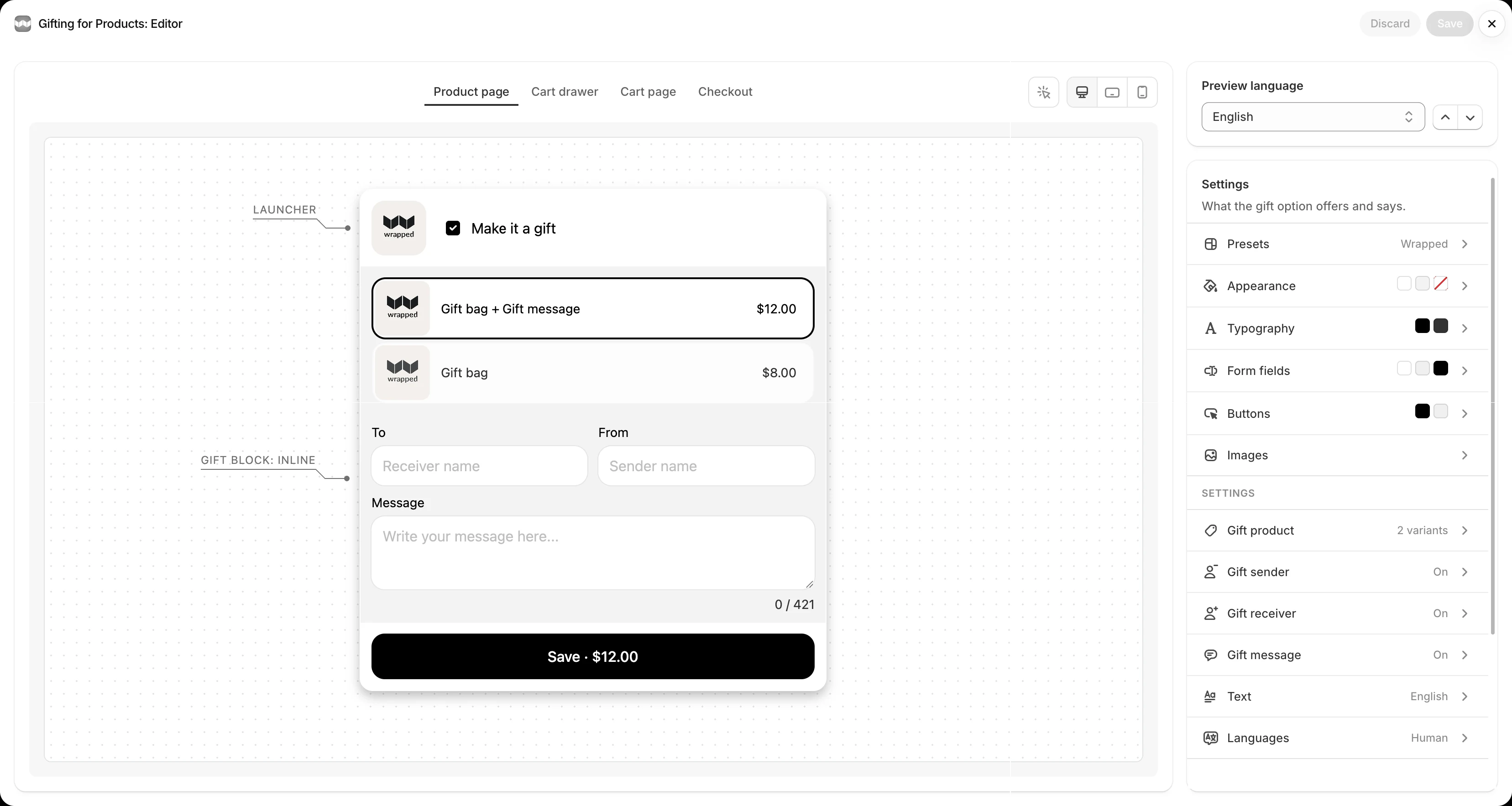
- Start from the preset library. Pick the look you like, or make your own, then reuse it on every block.
- Desktop, tablet, and mobile. Preview the product page, cart drawer, and cart page at every size, and checkout on Shopify Plus. Nothing changes in your store until you save.
- Your store's languages. Gift Blocks show in every language your store publishes, with no extra steps and no extra cost. Edit any translation in the Gifting editor.
Gifting for every occasion
Gift orders flow through Wrapped every minute, from birthdays to the holidays.
Every feature in flexible plans
7-day free trialSave 17% annuallyPricing in USDCancel anytime
- Instant answers
- Human response within a day
What our customers are saying
… this app has the best ROI of any app I've ever installed, but better still the support is LIGHTNING FAST. … It's such an easy upsell!
Questions merchants and agencies ask first
Straight answers, the same ones support gives every week.
Will Wrapped show in my theme's cart drawer?
Yes. Gift Blocks work in the drawer your theme ships and in the most popular cart drawer apps on Shopify. They also sit on the product page and the cart page.
Can customers gift one item or the whole order?
Both. Gifting for Products adds a gift option to each item. Gifting for Orders wraps the whole order as one gift, with one note and one fee.
How is gift wrap charged?
Each gift option is a product in your store, with its own price, inventory, and image. Price it per cart, per item, or per box, by count or by weight. Gift discounts make it free over a cart total or for your VIPs.
Where do gift messages appear for fulfillment?
On the Shopify order. Each gift shows its option, To, From, and message on the line, with a gift summary in the order note.
Does Wrapped work with Shopify Plus checkout?
Yes. On Shopify Plus, gift options show at checkout, styled by your checkout branding, under each item or once for the order.
Can I hide gifting for some products or for B2B customers?
Yes. Display rules include or exclude products, collections, and tags. You can also hide gifting from B2B customers and in markets where the gift product is not for sale.
Can I style the gift options to match my theme?
Yes. Start from the preset library, then set your own colours, type, and text in the Gifting editor. It previews every Gift Block on desktop, tablet, and mobile, in every language your store publishes.

Answers in seconds, any time
Bowie knows Wrapped inside out. Ask how to set up a gift option, what a plan includes, or why a Gift Block is not showing on your theme, and get an answer right away. When it takes a person, a person steps in.