
Install it on a client store today and hand it over tomorrow
Nothing has to go into the theme code, and there is no custom build to document. The client's team runs gifting from the Shopify admin, with the look you set.
The client's store sells gift wrap, gift boxes, and gift messages
Customers add paid gift wrap on the product page, in the cart drawer, and on the cart page. The client sets the price, and free gifting over a cart total rewards bigger carts.
Gift options that sell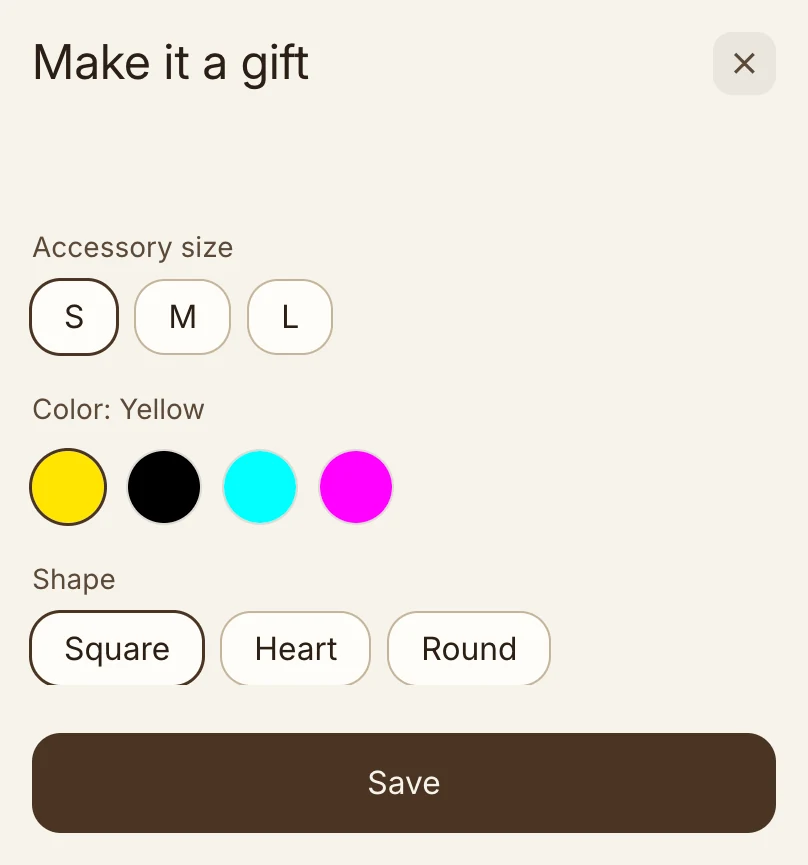
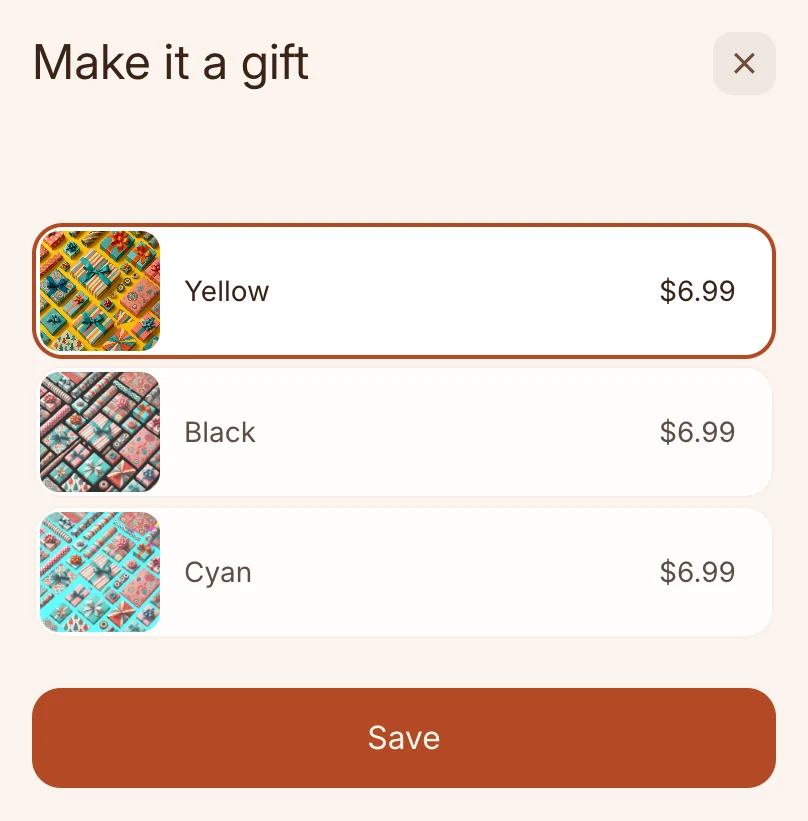
The theme code can stay as it is
Gift Blocks sit on the product page, in the cart drawer, and on the cart page with nothing added to the theme code. On Shopify Plus, they reach into checkout too, styled by checkout branding.
- Theme drawers and drawer apps. Gift Blocks work in the theme's cart drawer and in the most popular cart drawer apps on Shopify.
- Through theme updates. The app embed is one switch in the theme editor. Nothing has to go into the theme code, so a theme update leaves Gift Blocks in place.
- Developer tools. Every Gift Block has a UUID, an HTML selector, and a JavaScript event for custom themes.
From install to the first gift order
Set up and preview on a staging theme before it goes live. Every plan has every feature, priced on monthly gift sales.
Four steps, no theme code
- 1Install from the Shopify App Store7-day trial, plenty of time to set up and explore
- 2Publish a gift optionConnect the gift product and set its pricing rule
- 3Style it in the Gifting editorStart from a preset, then match the theme's colours and type
- 4Turn on the app embedFlip one switch in the theme editor and Gift Blocks go live
The client's team runs it from the Shopify admin
How the block looks, what it says in each language, and which gift product it sells live in the Gifting editor, with the look you set. Nothing changes in the store until the team saves.
- A preset, then the theme. Start from the preset library, set the theme's own colours and type, and preview on desktop, tablet, and mobile.
- The store's languages. Gift Blocks show in every language the client's store publishes, with nothing to set up, and the team can edit any translation.
- Display rules in the app. Show gifting on chosen products, collections, and tags, and hide it from B2B customers and in markets without the gift product. The client's team changes the rules in the app, with nothing to deploy.
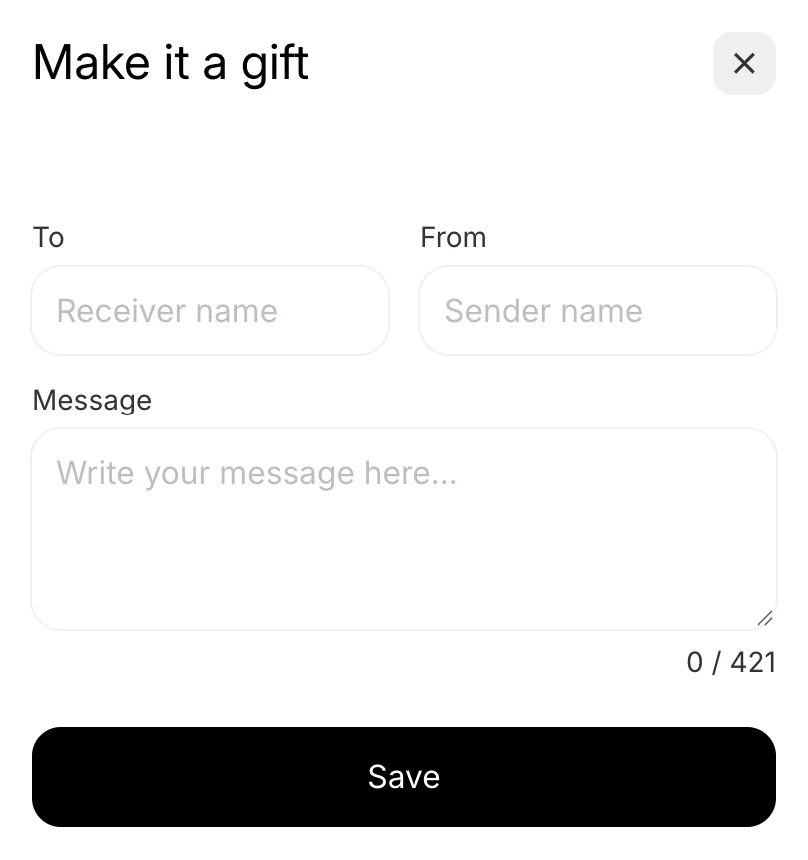
- Every gift detail on the order. Each gift shows its option, To, From, and message on the line, with a gift summary in the order note and the 🎁 Wrapped tag on the order.
- Bowie for the client's team. Bowie answers their questions any time, and a human responds within a day on Access Pro.
Wrapped has greatly contributed to the overall experience on our website, allowing our customers to add gift wrap and/or a gift message to their order. … Highly recommend Wrapped for the quality of the development and professionalism of the staff.
Questions agencies ask first
Do we need to edit the client's theme code?
No. One switch in the theme editor turns on the app embed, and nothing has to go into the theme code. For a custom theme, Developer tools give you a stable selector and an event. Gift Blocks work with the theme's cart drawer and the most popular cart drawer apps on Shopify, and a theme update leaves them in place.
Can we set it up on a staging theme first?
Yes. Set up and preview on a staging theme before it goes live. The app embed is one switch in the theme editor, and nothing in the Gifting editor changes the store until you save.
What does the client's team need after hand-over?
Only the Shopify admin. How the block looks, what it says in each language, and which gift product it sells are set in the Gifting editor, display rules are in the app, and every gift detail lands on the order, ready to pack. There is nothing to deploy.
Does it work in Shopify Plus checkout?
Yes. Shopify Plus stores get every Gift Block, and the checkout Gift Block on top, styled by the store's checkout branding, under each item or once for the order.
What do developers get for custom themes?
A UUID, an HTML selector, and a JavaScript event for every Gift Block, for custom and headless themes.
Gift Blocks for the next client store
Rated 4.8 on the Shopify App Store. All plans include a 7-day trial, plenty of time to set up and explore.