
Gift options in your theme, from the product page to the cart
Customers can make it a gift wherever they decide to: on the product page, in the cart drawer, or on the cart page. Gift Blocks sit in your own theme, with nothing to edit in your theme.
Gift Blocks that look like part of your theme
Style them once in the Gifting editor. The product page, cart drawer, and cart page all show the same look.
- Product page. Customers fall for the item, then wrap it, write the note, and add it to the cart, all in one go.
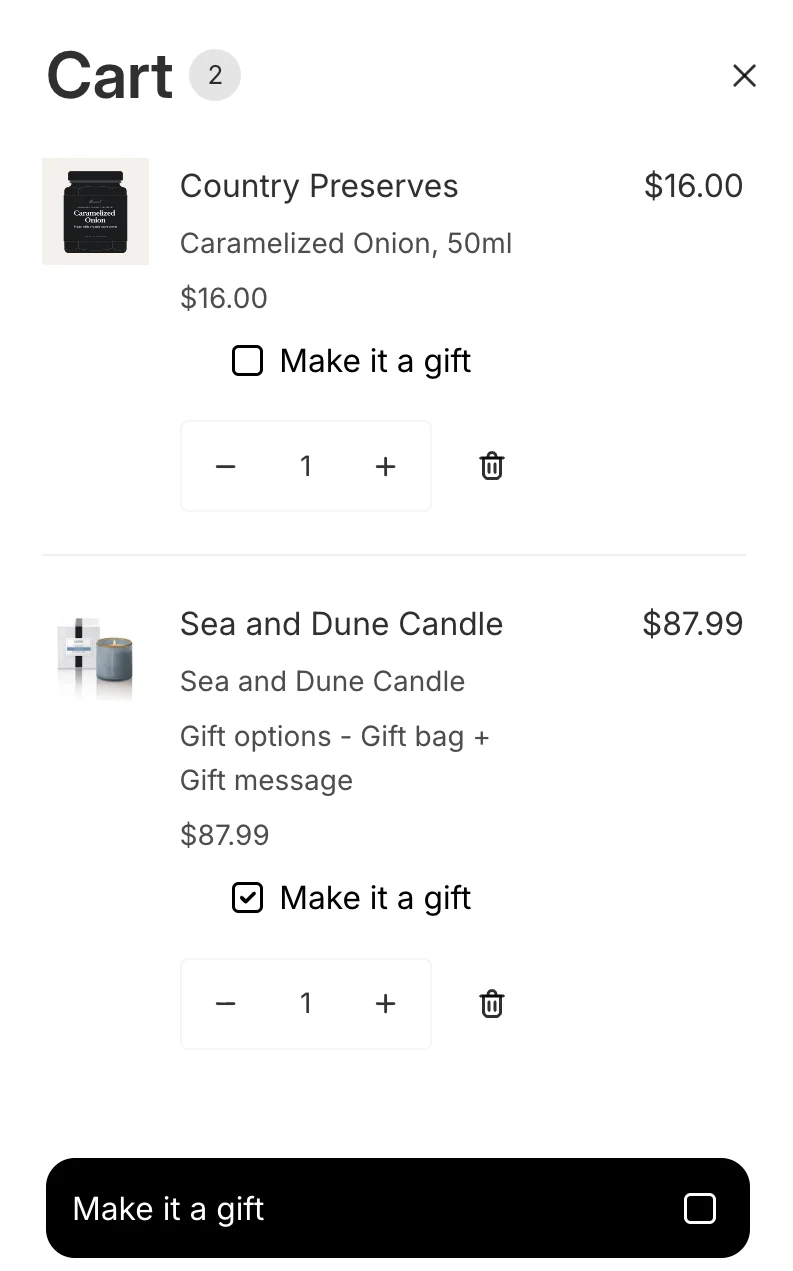
- Cart drawer. Give customers one more place to say “make it a gift.” Works in the drawer your theme ships and in the most popular cart drawer apps on Shopify.
- Cart page. Customers get the same gift option, with the same look, on the full cart before they check out.
Every gift detail, chosen in the block
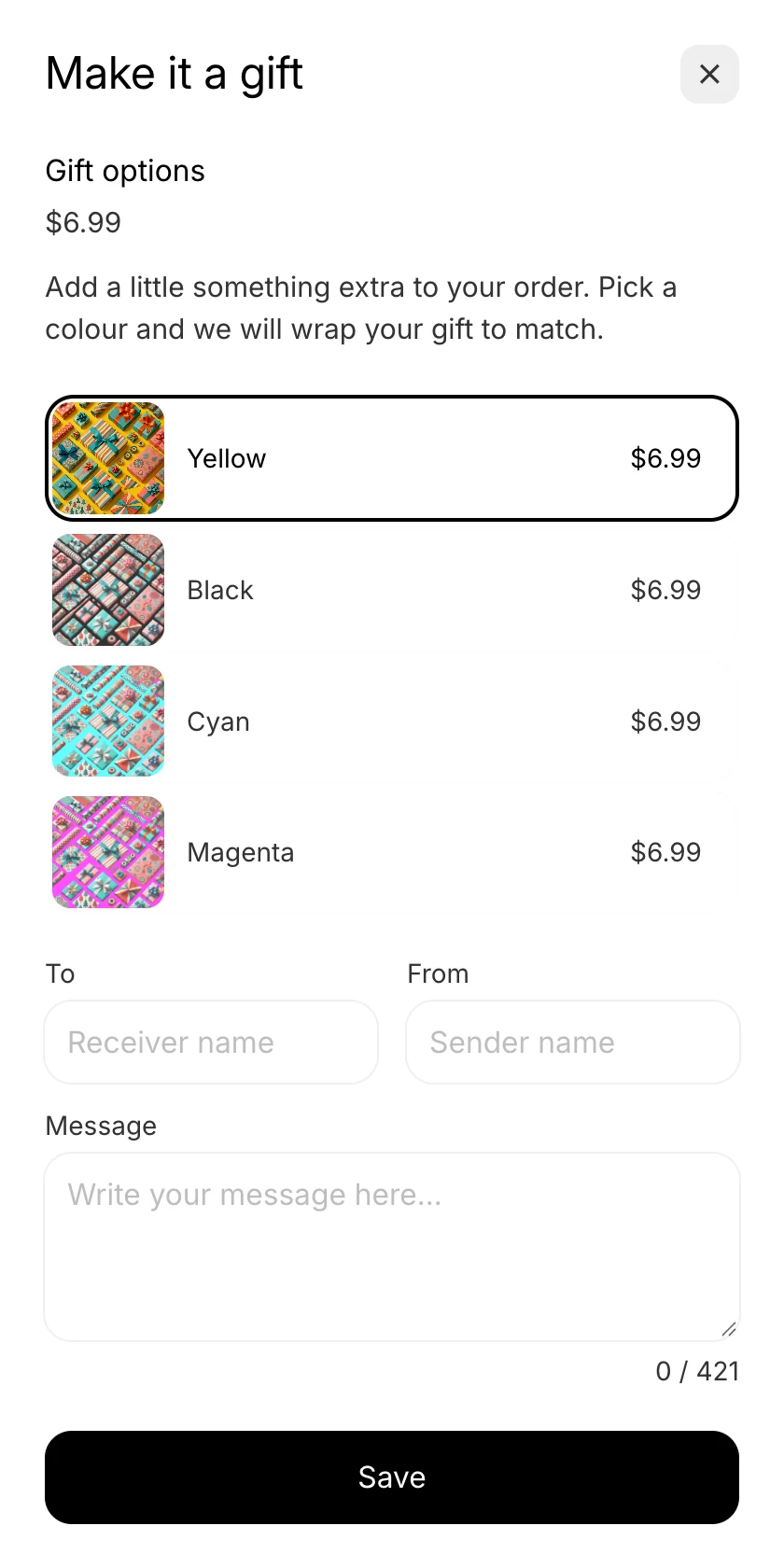
Customers pick the gift option and write To, From, and a message right in the block.
- Gifting for Products. Customers add gift options to each product, with a different wrap and price per item.
- Gifting for Orders. Customers wrap the whole order as one gift, with one note and one fee.
- A real Shopify product. Each gift option has its own price, inventory, and image.
- Bundled or itemized. The gift shows inside its product's line, one line per gifted item, or as its own line, in the cart and at checkout.
Nothing to edit in your theme
One switch in the theme editor turns Gift Blocks on, and a theme update leaves them in place.
- One switch. The app embed turns Gift Blocks on in the theme editor, and you never edit your theme.
- Nothing to redo. Update your theme or add a cart drawer app, and Gift Blocks keep working.
- You decide where it shows. Include or exclude products, collections, and tags. Show gifting to retail customers only, and only in markets where the gift product is available.
Great app! It allows us to offer that extra touch to our customers in a clean and seamless way directly on our website. Everything works smoothly without any issues.
What merchants ask about Gift Blocks
Will Gift Blocks show in my theme's cart drawer?
Yes. Gift Blocks work in the drawer the theme ships and in the most popular cart drawer apps on Shopify.
Do I have to edit my theme?
No. You turn on the app embed with one switch in the theme editor, and Gift Blocks appear in your theme. A theme update leaves them in place.
Can customers gift one item or the whole order?
Both. Gifting for Products adds gift options to each product, with a different wrap and price per item. Gifting for Orders adds one gift option, one note, and one fee for the whole order.
How does the gift show in the cart?
You choose bundled or itemized. Bundled puts the gift inside its product's line, one line per gifted item. Itemized gives the gift its own line.
Gift options that look like your theme, and nothing to edit in your theme
Every feature is on every plan, with a 7-day free trial.